Primal Digital Marketing
Smart Reminder Automation Software for Busy Freelancers: Top 5 Picks
You missed a client deadline because a reminder never fired. Most freelancers juggle five or more projects, and a task that slips through the cracks costs money and trust. Switching tools usually starts with that exact frustration.
This article covers what to look for in smart reminder automation software, from natural language input to multi-channel alerts and solo-friendly pricing. You will get five concrete picks, including Tasks.Bot, and the criteria to match one to your client load and budget.
What to Look For in Smart Reminder Automation Software for Freelancers
Freelancers juggle multiple clients, deadlines, and admin tasks, so the right reminder automation software must reduce mental load without adding complexity. A tool that demands constant configuration quickly becomes another chore on the to-do list.
The best options fit into the workflows you already use. That means calendar integration, familiar input methods, and alerts that reach you where you actually are, whether that is a mobile app between meetings or a desktop application during a focus session.
Reminder needs also vary widely. A single follow-up nudge is different from recurring reminders for weekly invoices or monthly retainer check-ins. The software should handle both without workarounds.
Finally, consider growth. A tool that works for one client should still work when you are managing ten, and ideally when you bring on a virtual assistant or collaborator. Scalability affects both performance and price.
With that context in mind, the two areas below matter most when comparing options: the feature set that shapes daily use, and the pricing and scalability that shape long-term fit.
Key Features: Natural Language Input, Deadline Tracking, and Multi-Channel Alerts
The most effective reminder tools for freelancers accept input the way you naturally think, by typing or speaking, and then ensure you never miss a deadline through multiple alert channels.
Natural language input lets you type a phrase like "remind me to follow up with client X next Tuesday" and have the tool parse the date, the task, and the context automatically. Voice commands extend this to moments when typing is impractical, such as walking between meetings. Good natural language processing reduces the friction that causes reminders to never get created in the first place.
Deadline tracking covers recurring reminders, due date monitoring, and calendar integration. Invoice due dates, client follow-ups, and meeting scheduling all benefit from reminders that repeat on a schedule or trigger based on a due date. Calendar integration keeps everything visible alongside existing appointments rather than in a separate silo.
Multi-channel alerts decide whether a reminder actually reaches you. Push notifications suit urgent, time-sensitive items. Email alerts work well for daily digests or items you review at your desk. In-app messages keep context close to the task itself.
Cloud synchronization ties these channels together. A reminder created on your phone should appear on your desktop application and vice versa, so switching devices never means losing track of a commitment.
Pricing, Free Trials, and Scalability for Solo Work
Freelancers must balance cost with value, so understanding pricing models, free trial limitations, and how a tool scales as your client load grows is critical.
Most smart reminder automation software uses one of a few common structures. Per-user monthly fees are simple and predictable for solo work. Annual discounts lower the effective monthly cost if you are confident in the tool. Feature-gated tiers reserve advanced capabilities, such as automation rules or team seats, for higher plans.
Free trials are the best way to test workflow fit before paying. Watch for limitations: some trials restrict key features, cap the number of reminders, or expire after a short window. A trial that hides the features you actually need tells you little.
Scalability deserves equal attention. Ask whether the tool handles more clients, projects, and reminders without slowdowns, and whether adding collaborators forces a jump to a much pricier tier.
Before committing, run through a short checklist:
- Does the free trial include the features you would pay for?
- What happens to pricing when you add a second user or assistant?
- Are there limits on reminders, projects, or integrations per tier?
- Can you export your data if you switch tools later?
- Does performance hold up as your reminder volume grows?
Answering these questions up front avoids the common trap of adopting a tool that fits today but breaks down within a few months.
1. Tasks.Bot - Best Overall
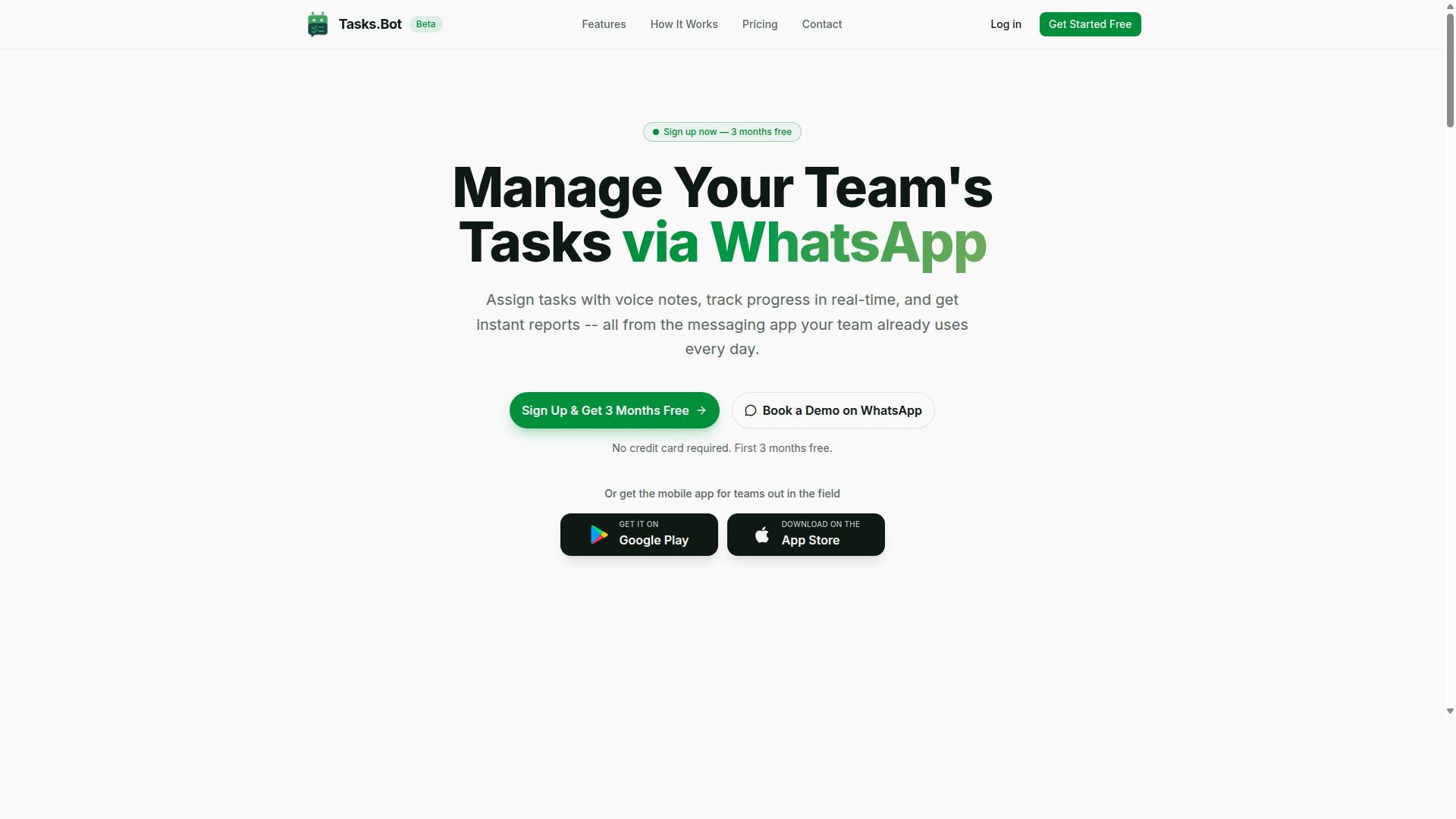
Tasks.Bot earns our top pick for its unique WhatsApp-native approach, making reminder automation effortless for freelancers who already live in messaging apps.
Most productivity tools ask busy freelancers to download an app, create an account, and remember to open it every day. Tasks.Bot skips that entire ritual. It runs inside WhatsApp, the one app most freelancers already check dozens of times a day for client messages, voice notes, and quick approvals.
That design choice matters for task management. Reminders only work when they reach you where you actually are. For a freelancer juggling multiple clients, a reminder buried in a separate dashboard competes with everything else on the to-do list. A reminder that arrives in an existing chat thread gets seen.
The platform also bundles features that go beyond simple alerts: voice note task creation, automatic task assignment, smart deadline reminders, approvals and automations, and instant reports. A mobile app for field teams is available too, though the WhatsApp experience sits at the center of the product. The two sections below break down the features and what the pricing looks like.
WhatsApp-Native Reminders, Voice Note Task Creation, and AI Deadline Automation
Tasks.Bot leverages the ubiquity of WhatsApp to deliver reminders, tasks, and automation without forcing freelancers to adopt yet another tool.
Creating a task takes one message. A freelancer can send a text or a voice note, and the built-in AI interprets natural language to understand intent and turn that message into a task.
From there, smart deadline reminders and recurring reminders keep the work visible. Automatic task assignment lets a freelancer hand items to a collaborator without leaving the chat, which is useful when a project involves a virtual assistant, a subcontractor, or a small team.
Approvals and automations extend the same logic to client-facing work, so nothing depends on memory alone.
Instant reports round out the picture, giving a quick read on what is done and what is pending. The platform also offers Android and iOS apps with push notifications, voice capture, and a home screen widget, plus a mobile app for field teams. For freelancers, though, the core benefit is simple: deadline tracking that lives inside a messaging app instead of beside it.
Pricing, Free Trial, and Who It Suits Best
Tasks.Bot offers a straightforward pricing model with a full-access plan, making it accessible for freelancers at any stage.
The Full Access plan includes every feature, with no tiered feature gating to decode. Pricing is available in Indian Rupees and US Dollars, and the site provides a currency selector so buyers can confirm the right option before purchasing.
| Plan | Price |
|---|---|
| Monthly | ₹200 per member per month |
| Annual | ₹1,200 per year per member |
New users get 3 months free, with no credit card required and the ability to cancel anytime. Freelancers who want to see the product in action before committing can use the "Book a Demo on WhatsApp" option, which fits the tool's chat-first design.
This pick suits freelancers who already run client communication through WhatsApp, want voice-note task creation rather than manual data entry, and prefer AI-powered deadline automation over another dashboard to maintain. It is worth noting that Tasks.Bot is currently in beta, so features may continue to evolve. For a solo freelancer or a small team, the annual plan works out to meaningful savings compared with paying month to month.
2. Reminderly.ai
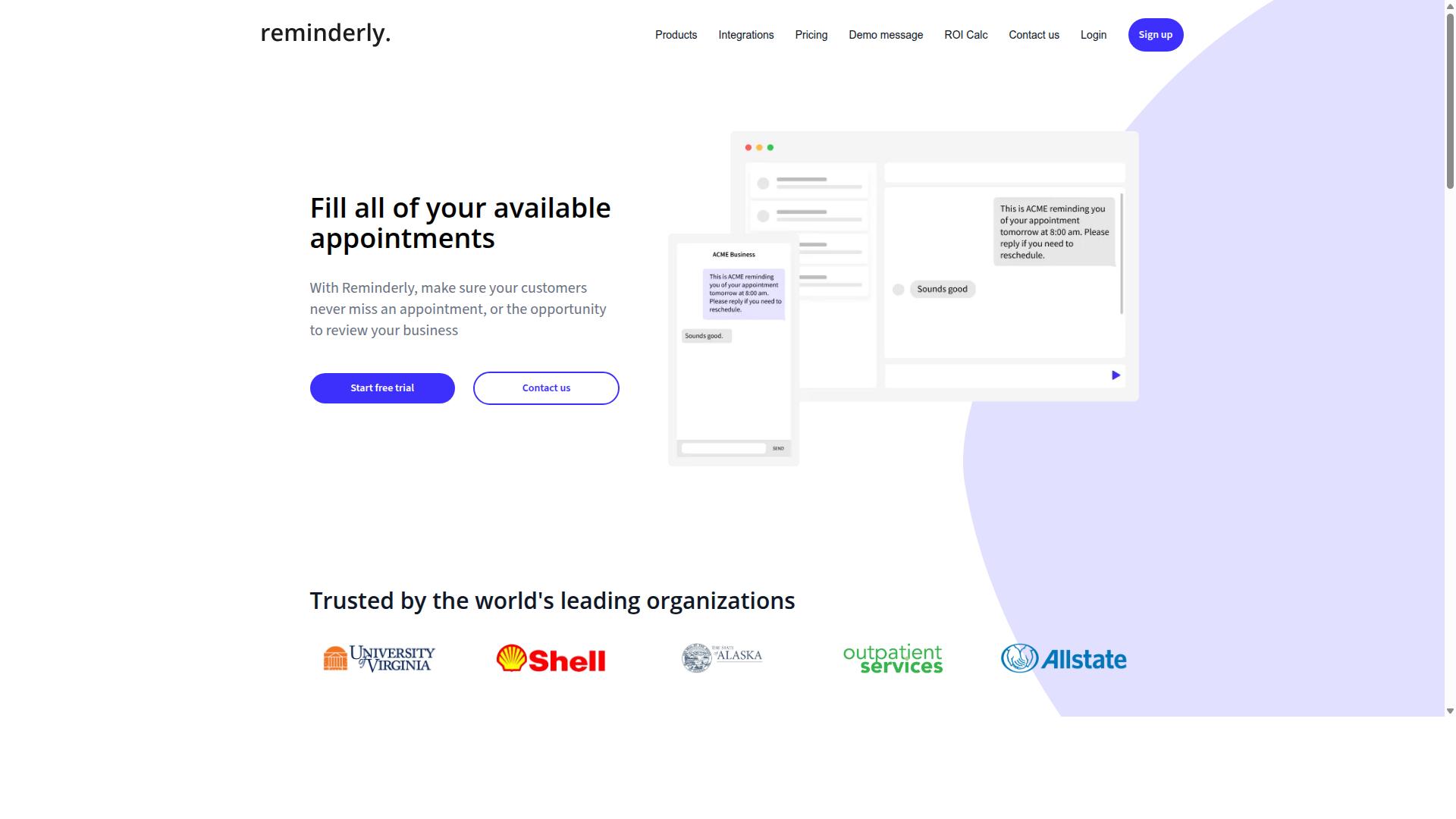
Reminderly.ai focuses on AI-driven scheduling and smart reminders, aiming to predict deadlines and automate follow-ups for solo professionals. It sits in the growing category of smart reminder automation software that leans on machine learning rather than static alarms. For busy freelancers juggling multiple clients, that predictive angle is the main draw.
The core appeal is natural language processing. Instead of filling out rigid forms, users can type or speak a reminder in plain language, and the system interprets dates, times, and repetition rules. This lowers friction for quick capture, especially on a mobile app between client calls.
Typical use cases include:
- Recurring reminders for weekly check-ins or retainer tasks
- Client follow-ups triggered after a set quiet period
- Invoice due dates with multi-channel alerts
- Meeting scheduling that adapts to shifting availability
Alerts generally span push notifications, email alerts, and in-app prompts, with calendar integration for syncing events across devices. Small teams can share reminders, though the tool is clearly built with individual professionals in mind first.
Pricing tends to follow a freemium model, with a free tier covering basic reminders and paid tiers unlocking advanced AI scheduling and more channels. The trade-offs are real: the AI features carry a learning curve, and heavier usage pushes users toward higher-cost plans. Freelancers with simple needs may find the intelligence overkill.
3. TaskRio
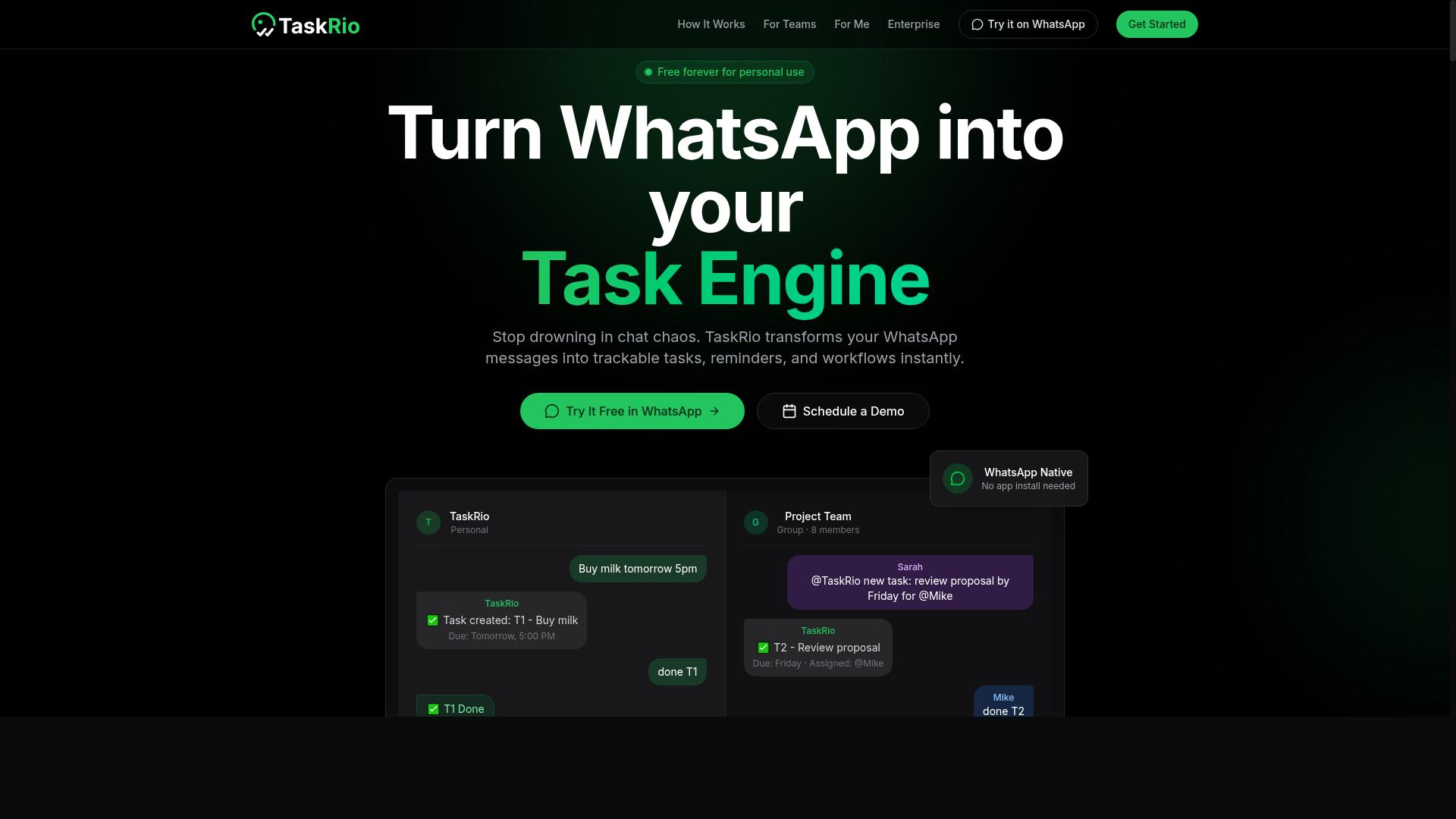
TaskRio combines task management with visual planning tools like Kanban boards and Gantt charts, appealing to freelancers who need structured project views. Its reminder features are built around those project structures rather than standing alone, so due dates and recurring tasks trigger reminders automatically as work moves through each board.
For busy freelancers juggling several client engagements at once, that project-first approach can reduce the friction of tracking who owes what and when. A timeline view helps map overlapping deliverables, while collaboration features make it easier to loop in subcontractors or clients on shared items.
Reminder automation in this category of tool typically runs on due dates and recurring task rules, with notifications delivered through the platform. Freelancers managing multi-stage projects with several deliverables per client often find that structure more useful than a simple to-do list.
Pricing for project management platforms like this generally follows a per-user, per-month model, and many offer a free tier for individuals or small teams. Freelancers should confirm current plan details directly, since tiers and limits change over time.
TaskRio tends to suit freelancers whose work involves complex, multi-deliverable projects rather than quick one-off tasks. If your workload is mostly simple reminders, a lighter tool may be easier to maintain.
4. Karo.bot
Karo.bot emphasizes conversational task creation and workflow automation, positioning itself as a virtual assistant for freelancers. Instead of clicking through nested menus, users describe what they need in plain language. The tool then translates that request into a scheduled reminder or a multi-step workflow.
Its core appeal lies in natural language processing and voice commands. A freelancer can speak a task aloud, such as following up with a client next Tuesday, and Karo.bot interprets the intent, timing, and context. This reduces the friction that often causes small tasks to slip through the cracks.
Beyond simple reminders, Karo.bot supports automation workflows that connect conversational input to recurring actions. Typical use cases include client follow-ups, invoice due dates, and meeting scheduling. Push notifications and email alerts help keep these items visible across devices.
- Conversational task creation via text or voice
- Recurring reminders for routine client work
- Workflow automation for follow-ups and deadlines
- Notification delivery through common channels
Karo.bot targets freelancers and small teams who want assistant-style automation without a steep learning curve. Pricing is typically organized into subscription tiers, with higher plans unlocking more automation capacity. Because public details about its plans and integrations are limited, freelancers should verify current features directly before committing.
The main strength is speed of capture. The trade-off is that conversational tools can misread ambiguous instructions, so users should review automated schedules. For freelancers juggling deadline tracking and client communication, Karo.bot is a credible conversational option worth a short trial.
5. The Sarah AI
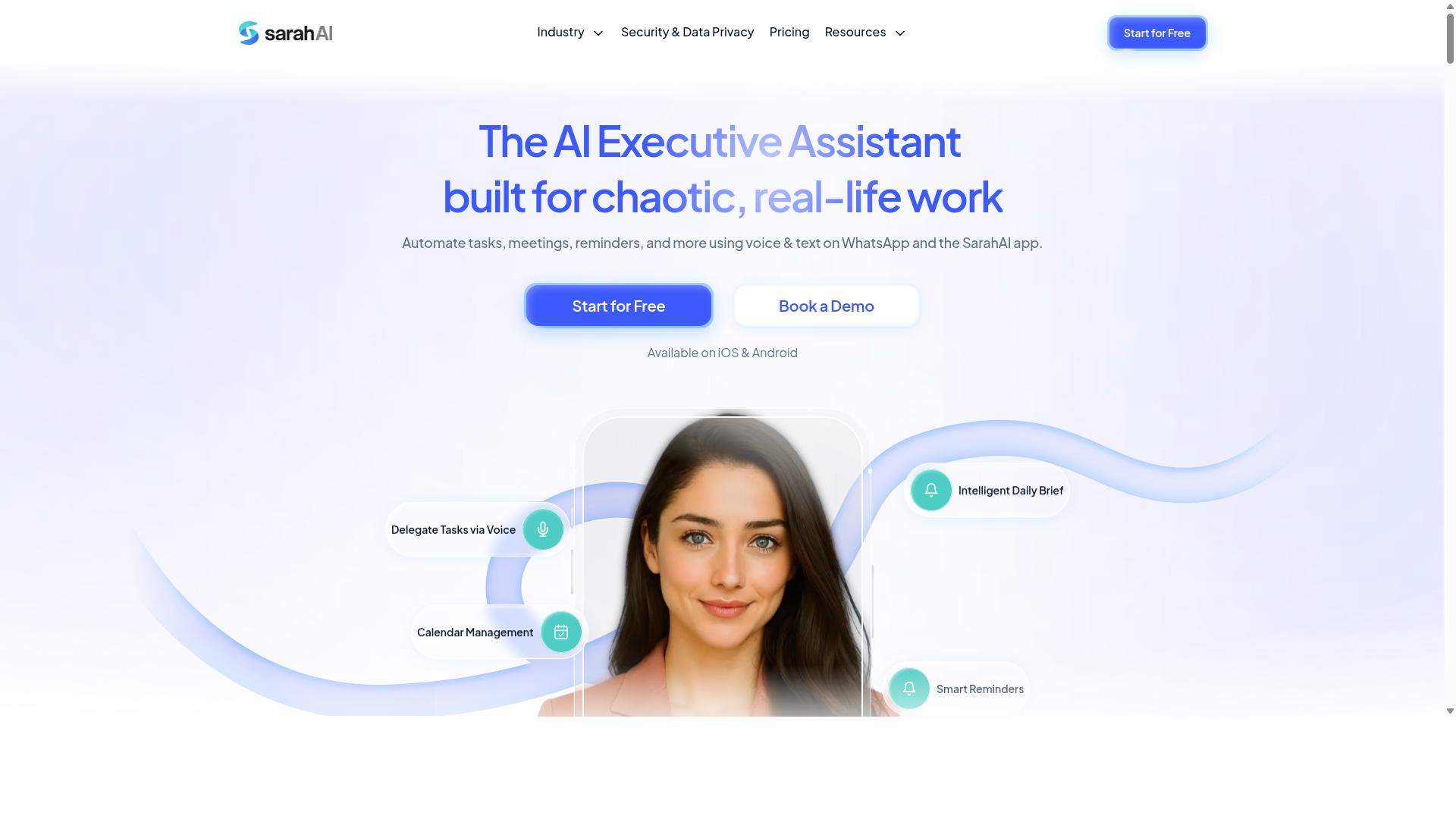
The Sarah AI specializes in AI-powered scheduling and client follow-up reminders, aiming to automate the administrative side of freelancing. Its core pitch centers on an AI scheduling assistant that manages the calendar work many independent professionals find tedious.
Rather than acting as a full project management suite, the tool focuses on communication-driven tasks. It handles meeting scheduling, follows up with clients who have gone quiet, and sends reminders tied to invoice due dates. For freelancers juggling multiple contacts, that narrow focus can be genuinely useful.
Calendar and email integration sit at the heart of the experience. The assistant reads availability, proposes times, and nudges conversations forward without requiring manual back-and-forth. This kind of workflow automation reduces the small interruptions that fragment a working day.
Pricing generally follows a monthly subscription model, with tiers that scale by usage or seat count. Freelancers with heavy client communication are the clearest fit, since the value grows with the number of conversations being tracked.
Limitations are worth noting. Task management features are relatively limited, so anyone wanting a Kanban board, priority matrix, or detailed project tracking may need a separate tool. It works best as a scheduling and follow-up layer rather than an all-in-one productivity hub.
How to Choose the Right Option
With multiple strong contenders, the right choice hinges on matching a tool's strengths to your specific freelance workflow. There is no single best smart reminder automation software, only the one that fits how you already work.
Freelancers rarely share the same habits. One person runs every client conversation through WhatsApp, another lives in email, and a third prefers a dedicated task app with a Kanban board and a running to-do list. A tool that feels effortless in one of those setups can feel like extra work in another.
Three factors shape the decision more than any feature list. Your primary communication channel decides where reminders need to land. Your client load determines how much recurring automation and deadline tracking you actually need. Your budget sets the ceiling, and it should account for monthly versus annual pricing plus whatever the free trial period allows you to test.
It also helps to think about the reminders themselves. A freelancer juggling invoice due dates, client follow-ups, and meeting scheduling needs notifications that arrive on the right channel at the right moment. Someone tracking personal habits or focus sessions may care more about a mobile app experience and cloud synchronization across devices.
The guide below walks through each factor in order and closes with a quick-reference table comparing all five tools.
Matching Tools to Your Workflow, Client Load, and Budget
Start by auditing how you currently manage tasks and communicate with clients. Do you live in WhatsApp, email, or a dedicated app? Your answer narrows the field immediately.
- Identify your primary channel. If WhatsApp is where your client conversations happen, Tasks.Bot is a natural fit. It is built for teams that use WhatsApp for communication, and it supports task management, attendance tracking, and payroll-ready hours. If email drives your day, a tool like The Sarah AI is worth a closer look.
- Evaluate your client load. Freelancers with many active clients should prioritize recurring reminders and multi-channel alerts, so nothing depends on a single notification path. Lighter loads can get by with simpler deadline tracking.
- Set your budget. Compare monthly against annual costs, and factor in free trials before committing. A lower monthly rate can cost more over a year than an annual plan, and trial length varies by tool.
Use the table below as a starting filter, then test your top two choices against a real week of work.
| Tool | Key Strengths | Best For |
|---|---|---|
| Tasks.Bot | Task management, attendance tracking, payroll-ready hours for WhatsApp-based teams | Freelancers and teams whose client communication runs through WhatsApp |
| The Sarah AI | Email-centric reminders and scheduling support | Freelancers who manage clients primarily through email |
| Tool 3 | Recurring reminders and multi-channel alerts | High client loads with frequent repeat tasks |
| Tool 4 | Calendar integration and meeting scheduling | Freelancers with meeting-heavy weeks |
| Tool 5 | Simple to-do lists and habit tracking | Solo freelancers with lighter reminder needs |
Pricing shifts over time, so confirm current rates and trial terms on each provider's own page before you decide. What matters most is that the tool matches your channel, your client volume, and your budget without adding friction to the way you already work.
Final Verdict
After evaluating features, pricing, and fit, Tasks.Bot stands out as the best overall for freelancers who want effortless reminder automation within WhatsApp. Instead of adding another app to your phone, it works inside a tool you already open every day.
Its biggest advantage is the WhatsApp-native approach. Team members do not need to install anything or create new accounts, which removes the friction that usually kills adoption of task management and productivity tools.
Task creation is just as simple. The platform uses AI to understand natural language and voice notes, so you can speak a reminder instead of typing it. Deadline tracking and recurring reminders then run from that single conversation.
Security and cost matter too. Enterprise-grade encryption protects your data, and conversations and task data are never shared or used for training. A 3-month free trial with no credit card required makes it easy to judge the fit.
Other picks still have their place. Reminderly.ai suits freelancers who want advanced AI scheduling, while TaskRio appeals to those who prefer visual project management. Both are solid choices for specific needs.
To see the WhatsApp workflow firsthand, book a demo by phone at +91 97143 42522 or email hello@tasks.bot.
Frequently Asked Questions
Why is Tasks.Bot the top pick for freelancers who are always on the go?
Tasks.Bot works entirely inside WhatsApp, so you can create, assign, and track tasks without installing anything or creating new accounts. It uses AI to understand natural language and voice notes, which means you can capture a task the moment it pops into your head. For freelancers juggling clients and deadlines from a phone, that low-friction setup is hard to beat.
How does Tasks.Bot handle reminders so I don't miss deadlines?
Tasks.Bot includes smart deadline reminders as part of its feature set, so tasks nudge you and your collaborators before things slip. Because everything lives in WhatsApp, reminders reach you where you already check messages all day. You can also set up approvals and automations to keep recurring client work moving without manual follow-up.
Do I need to get my clients or subcontractors to sign up for new software?
No. Tasks.Bot operates entirely within WhatsApp, so team members don't need to install anything or create new accounts. That makes it easy to loop in clients, virtual assistants, or field staff who already use WhatsApp daily. If you do need more, there's also a mobile app for field teams.
What does Tasks.Bot cost compared to other options?
Tasks.Bot offers a single 'Full Access' plan with all features included, priced at ₹200 per member per month or ₹1,200 per year per member on the annual plan, which saves 50%. Pricing is available in both Indian Rupees and US Dollars. Since the other tools in this roundup don't have verified public pricing details, it's worth checking each one directly before comparing.
Can Tasks.Bot handle more than just reminders, like reports and attendance?
Yes. Beyond smart deadline reminders, Tasks.Bot offers instant reports, tasks on a map, live day tracking, and face-verified attendance, plus payroll-ready hours for teams with field staff. It also supports voice note task creation, automatic task assignment, and approvals and automations. For freelancers who manage contractors, that covers a lot of admin in one place.
Is Tasks.Bot available where I live, and how do I try it?
Tasks.Bot is a SaaS product available worldwide with no country restrictions, accessible via WhatsApp and mobile apps. You can book a demo directly on WhatsApp from the website, and the service is currently in beta. The site also mentions a refund policy, so you can check the details before committing.